

Where does it go when it leaves the canvas
The reservation about visual tools is fair: plenty of them are where a promising pipeline goes to stay a prototype. It runs in the app, it demos well, and then production needs it on a schedule, in a script, next to the rest of the stack, and the visual version cannot go there.
So the pipeline gets rebuilt by hand for production, and now there are two versions that have to be kept in step. The one that drifts is usually the canvas, and the model of record quietly becomes a script nobody documented.
The same workflow, as code you can run anywhere
A workflow in STOCHOS Flow exports as a standalone Python package, with the dependencies it needs declared alongside it. The package is the same pipeline you assembled on the canvas, so it runs outside Flow without a reimplementation: call it from a script, schedule it, or drop it into a CI job.
Where you author and change the workflow. Nodes, connections, and settings are visible, and you can see the whole pipeline at a glance while you build it.
The same pipeline as code, dependencies declared. It runs where your other code runs, on a schedule or in CI, with no Flow window open.
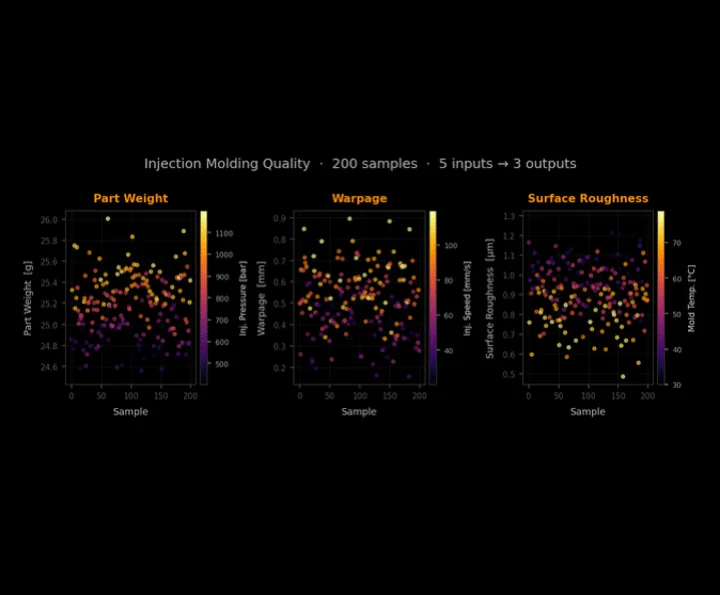
In the episode example, an injection-molding dataset with a handful of inputs and outputs trained end to end straight from the exported package, on a standard train and test split. The point was not the numbers. It was that the exported folder reproduced the canvas run without anyone rewriting the pipeline in between.
Common questions
01Is the export a standalone executable?
No. It is a Python package with its dependencies declared. It runs wherever Python runs: a script you call, a scheduled job, or a step in a CI pipeline.
02Do I have to rebuild the workflow to run it in production?
No. The package is the same pipeline you built on the canvas, expressed as code. You run the package instead of the canvas, so there is no second implementation to keep in sync.
03Can I keep editing in Flow after exporting?
Yes. The canvas stays the authoring view. Change the workflow there and export again when you want a fresh package; the export does not lock the workflow away from you.
STOCHOS Flow
The workflow layer: build the pipeline as a node graph, then export it as a package.
STOCHOS
The predictive engine the exported pipeline carries with it: probabilistic models with quantified uncertainty.
Build an ML workflow without an ML team
How the workflow gets built in the first place, before it becomes a package.
News and Guides
Short answers to the questions engineers ask us, in one place.