 01
01
Define its inputs, its outputs, and the tools it may call. Export it as a node your team reuses.
check each geometry against our design rules and flag the failures

Built-in nodes, growing weekly
DIM-GP models built in
On tokens: the agents run locally on your own GPU
To train a model and predict new variants
STOCHOS Flow is the visual workbench where R&D teams build technical workflows from nodes, with STOCHOS at the core. Standard workflows need no code, and the finished workflow ships to your team as a web app.
The Python node is the way out of any box. Anything you can script runs as a step in the workflow, and the whole team can reuse it.


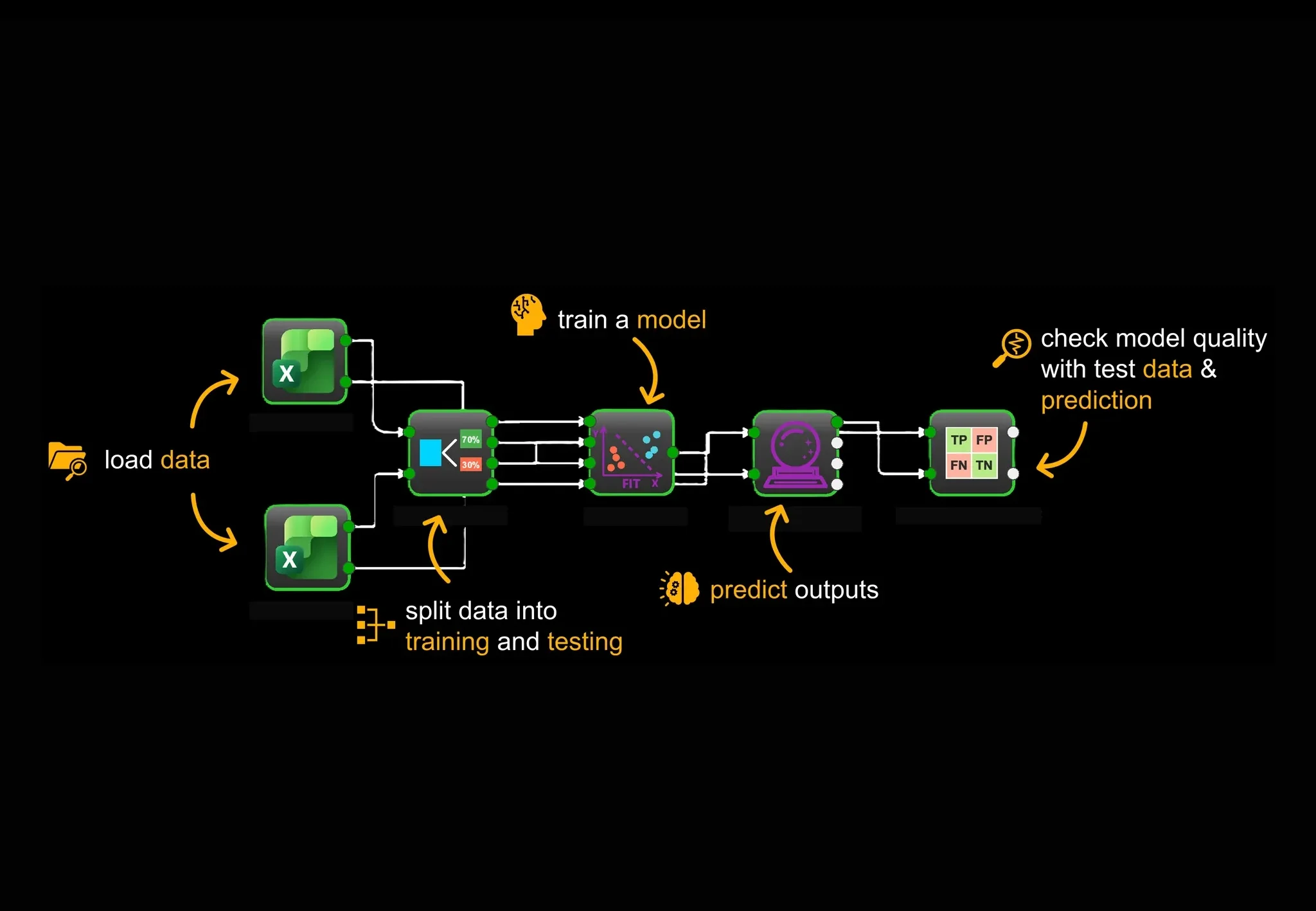
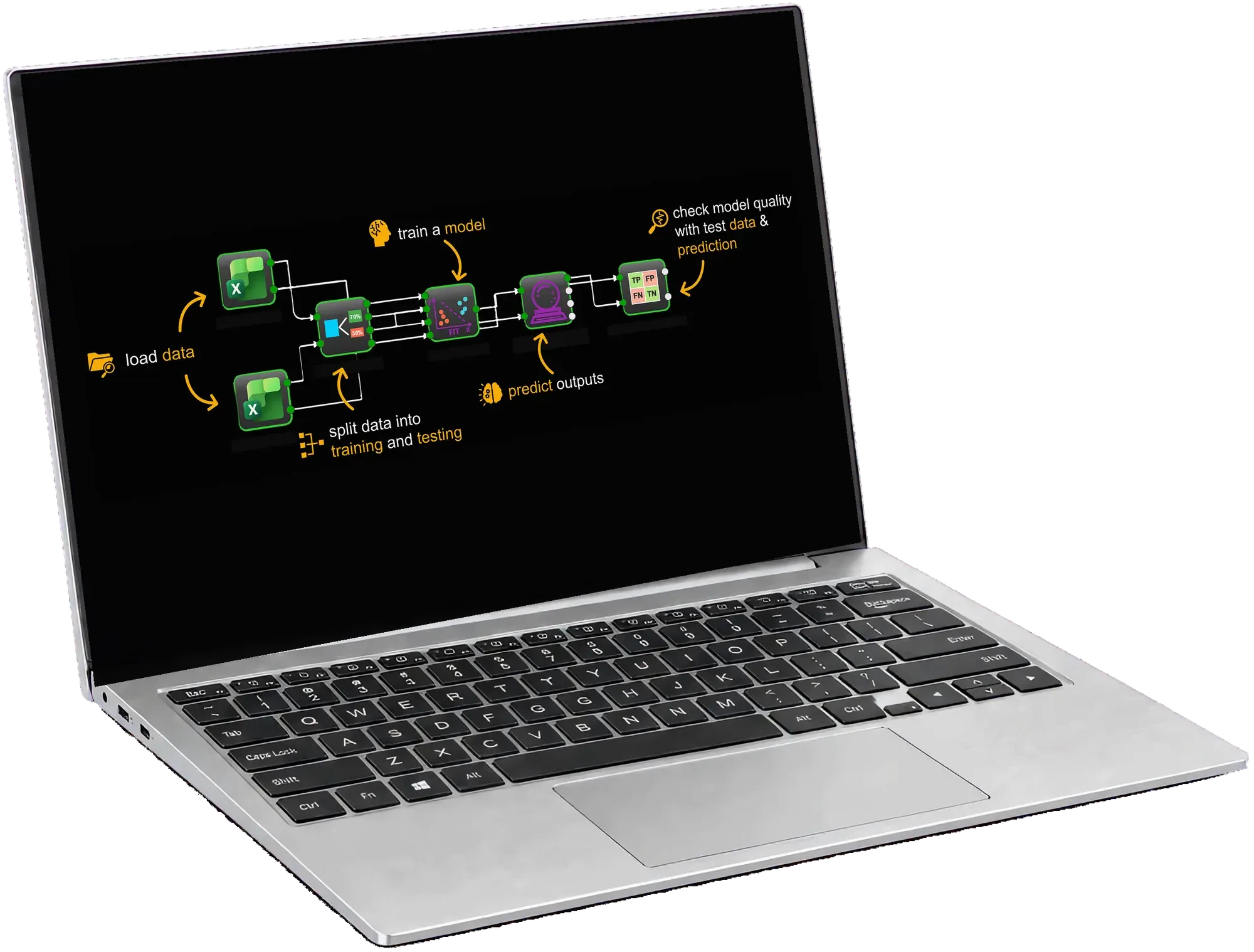
Every workflow is a chain of nodes, each doing one job, wired left to right. Here is a basic one, from raw data through to a checked model.
A chatbot answers.
An agent acts.
Give it a goal, and the Workflow Agent builds it.
This is the STOCHOS Flow builder, lean and live. Pick a task and the Workflow Agent places and wires the nodes for you, the same editor your team would use.
01
Define its inputs, its outputs, and the tools it may call. Export it as a node your team reuses.
check each geometry against our design rules and flag the failures
 02
02
Tunes the parameters you whitelist. Code, not the agent, calls it done.
get the mesh quality above 0.8 and keep it under 2 million elements
 03
03
Turns the run, figures included, into PowerPoint, Word, PDF, or LaTeX, and can use your company template.
summarize the regression results and include the scatter plot
 04
04
Describe your archive structure and it finds the right files, then writes the loader for you to read before it runs.
load every measurement file under 2024 that has more than 500 rows
 05
05
Outliers, gaps, constant and correlated features, scaling. Say what the data needs and check the code it wrote.
normalize X columns to [0,1] and one-hot encode the labels
 06
06
Describe the figure you want. It writes the matplotlib script, and the script stays in the project.
3-D scatter of X vs Y colored by Z
07
Your own Python, with the same chat beside the editor when you want it to draft or fix the code.
add an input for wall thickness and return the mass
 08
08
Takes a geometry and a setup, builds the named selections by rule, meshes, solves, and hands back a result handle. No face picking.
fix the bolt faces, load the top surface, and mesh finer at the fillets
 09
09
Say what you are optimizing and what may move. It sets up the variables, their types, bounds and formulas for you to check.
add wall thickness as a continuous variable and keep mass at or below the baseline
Point them at your standards, your codes, your past projects. Every answer comes back in your company's context.
Save how your team works once, then reuse it. The same rules on every project, so two engineers get the same answer.
A visual workflow is a node-based pipeline on a canvas: data input, preprocessing, modeling, validation, sensitivity, design of experiments (DoE) and optimization, solver, and output nodes connected with typed ports. You can see and configure every step before it runs, which keeps the process transparent and reusable across a team.
The Workflow Agent is the AI assistant that helps build, configure, validate, debug, and document workflows from a prompt. It is not the predictive model. The prediction comes from STOCHOS and DIM-GP; the agent helps you assemble and maintain the workflow around them.
Yes. STOCHOS Flow is local-first and can run a local language model through Ollama, with at least a 16k context recommended. Optional cloud models such as OpenAI or Anthropic are available if you choose them. Core features work without any AI agent.
Yes. Workflows can be saved as projects, exported as a standalone Python script, or published as a Streamlit web app, and custom logic can become a reusable node. This turns a one-off analysis into a repeatable asset the team can run again.
Not if you run it locally. On your own GPU the agents run a local model through Ollama, with no per-token API fees and no external model costs. Optional cloud models are available if you choose them, never required, and core features work without any AI agent.
No. STOCHOS Flow connects to what you already run: your data, your Ansys Workbench parameters, and your Python. It sits at the center of the dataflow instead of replacing your stack, and open customization means almost any connection point can be wired in.
Yes. STOCHOS Flow gets new features every week, and we build custom nodes on request. If something is programmable, we can usually turn it into a reusable node in your workflow.