


Why the model never gets built
The data exists, the use case is obvious, and the work still stalls because it needs weeks of somebody who writes machine learning code for a living. That person is either not on the team or already committed for two quarters.
So the results stay in spreadsheets and solver output folders, and the next project starts from the same blank sheet. The bottleneck is rarely the data or the maths. It is the handover between the engineer who understands the problem and the specialist who can express it in code.
What a visual workflow replaces
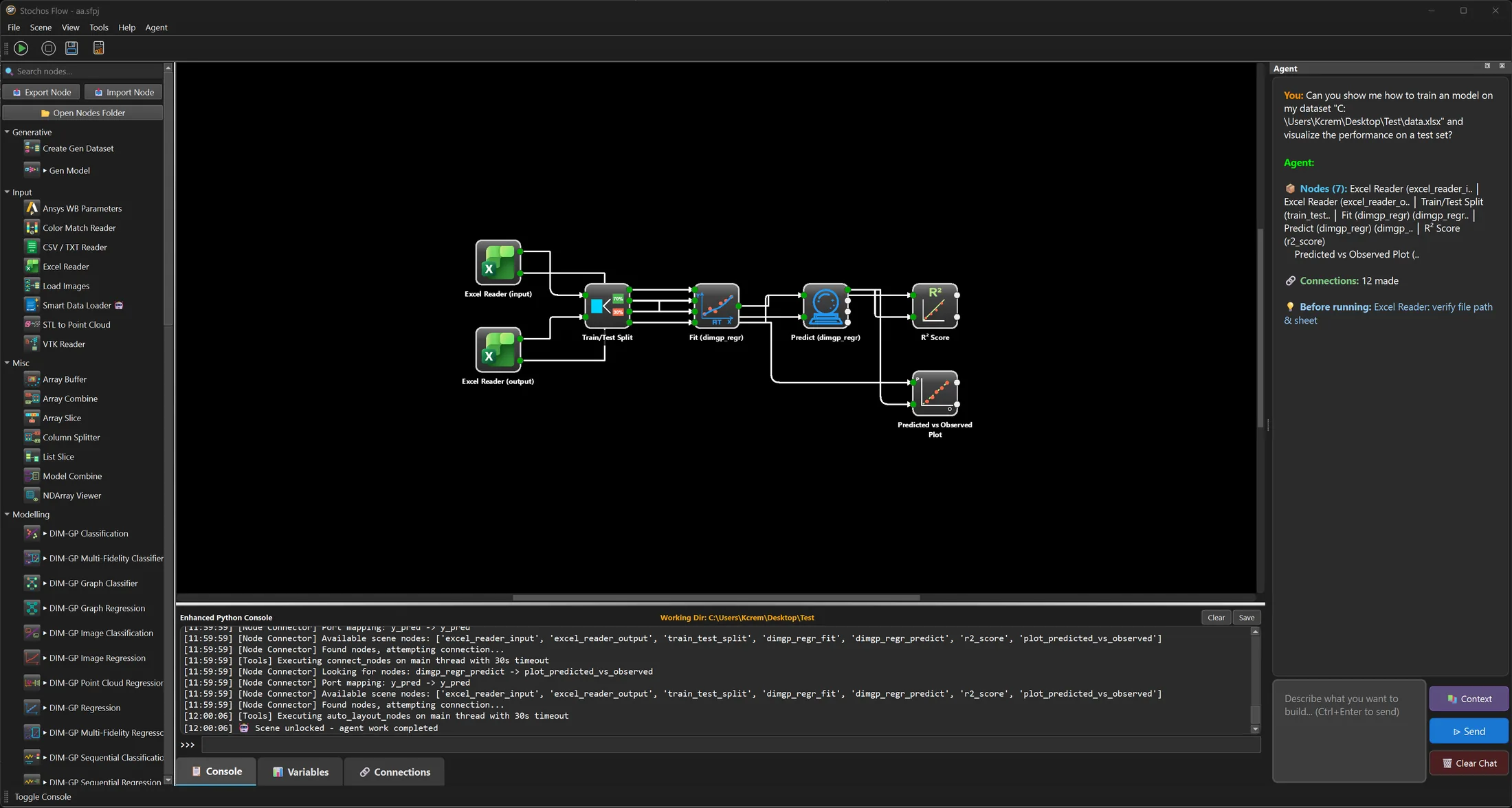
You connect nodes for data, model, validation, and export instead of writing the pipeline, and STOCHOS Flow ships 120 or more built-in nodes across 14 categories, with 14 DIM-GP models built in. The graph is the pipeline, so the thing you read on screen is the thing that runs.
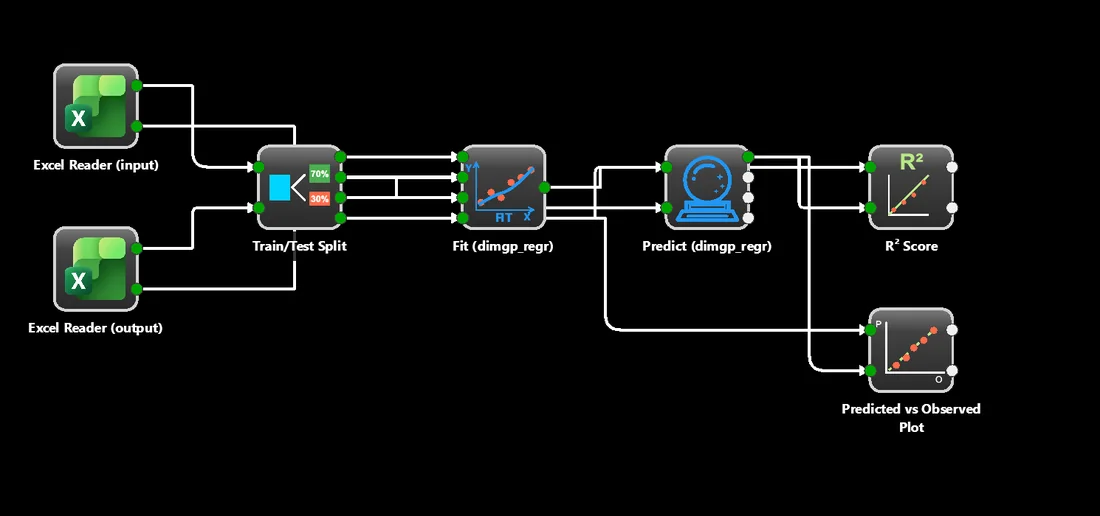
That removes the glue work: loading a spreadsheet, splitting train and test, fitting, predicting, scoring, plotting. It also removes a class of silent mistake, because a wiring error is visible on the canvas rather than buried in a script nobody else opens. More on the product on the STOCHOS Flow page.
Where the assistant helps, and where it does not
The Workflow Agent builds, configures, and debugs the graph for you; it is not the predictive model. The prediction comes from the DIM-GP engine that trains on your data. Keeping the two apart matters, because it decides what you audit and what you trust.
Workflow Agent and smart nodes
Describe what you want to build and it places nodes, wires them, and sets parameters. It reads error output and suggests the fix. Everything it does lands on the canvas, where you can inspect and change it before anything runs.
DIM-GP, trained on your data
The numbers come from a probabilistic model fitted to your own results, with an uncertainty attached to every prediction. The assistant never invents a value. It only assembles the workflow that produces one.
The practical effect is that a wrong answer has one place to look. If the pipeline is wired incorrectly, that is visible on the canvas. If the pipeline is right and the prediction is still uncertain, the model says so through its confidence bands. The method behind that is on How STOCHOS works.
When you still need code
Visual workflows cover the standard path, and custom Python is there for the advanced requirements that do not fit a node. The two live in the same graph, so reaching for code is a local decision about one step rather than a rewrite of the whole pipeline.
Standard tasks
Reading tabular results, splitting data, fitting and validating a model, scoring it, plotting it, and exporting it. These are the nodes that already exist, and using them needs no code at all.
Advanced requirements
A house-specific file format, a preprocessing rule nobody else has, a bespoke metric, or a call into an internal system. Write that step in Python and connect it to the rest of the graph like any other node.
The workflow you end up with is portable: the trained model exports, and the graph itself is a file you can hand to a colleague. For the engineering side of the same story, see AI for Engineering.
Common questions
01Is STOCHOS Flow no-code?
Visual workflows handle standard tasks, and custom Python covers advanced requirements. You are not locked out of code, and you are not forced into it.
02What does the Workflow Agent cost to run?
The agents run locally on your own GPU, so there is no token limit and no token cost per run.
03Who is STOCHOS Flow for?
The engineer who owns the problem. The point is that domain knowledge, not machine learning expertise, is the scarce input.
STOCHOS Flow
The visual workflow builder: the node palette, the canvas, and the export path.
02How STOCHOS works
DIM-GP, the predictive engine behind every prediction the workflow produces.
03AI for Engineering
The same workflow applied to CFD, FEM, and CAE results.
04News and Guides
Every guide and every release note in one place.